
Local AI: Build a RAG Model from Scratch with Open-Source Tools
2h 18mAdvanced2025-10-15
Authors
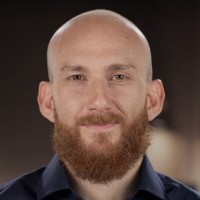
Dr. Alaa Moussawi
Course details
In this hands-on course, physicist and educator Dr. Alaa Moussawi guides you toward mastery of Retrieval-Augmented Generation (RAG) models. Learn to construct your own custom AI bots by integrating vector databases with language models for contextually accurate responses. Explore essential concepts such as vector embeddings, query processing, and prompt engineering. Learn how to optimize your resources by running lightweight models efficiently, even on limited hardware. Find out how to generate effective vector embeddings and extract relevant information from diverse data sources. Benefit from the flexibility of open-source software as you adapt the models to specific domains or styles, while customizing the knowledge base of your bot. Keep innovating and pushing boundaries with retrieval-augmented intelligence and join the vibrant open-source community in this exploratory learning adventure.
Learning objectives
Master the end-to-end process of building a Retrieval-Augmented Generation (RAG) model using open-source technologies, from data collection to model deployment.
Learn advanced techniques for vector embeddings, database setup, and context retrieval to enhance large language model performance.
Develop practical skills in prompt engineering, vector search mechanisms, and integrating local language models with custom data sources.
Learning objectives
Master the end-to-end process of building a Retrieval-Augmented Generation (RAG) model using open-source technologies, from data collection to model deployment.
Learn advanced techniques for vector embeddings, database setup, and context retrieval to enhance large language model performance.
Develop practical skills in prompt engineering, vector search mechanisms, and integrating local language models with custom data sources.
Concepts
Introduction
- Introduction to RAG models
Conceptual Overview
- Running your LLM from open source
- Collecting data to generate our corpus
- What are vector embeddings, and how are they generated
- Setting up a database and retrieving vectors and files
- Vectorizing a query and finding relevant text
- Prompt engineering and packaging pieces together
Preparing Your LLM and Data
- Setting up a dev container
- Setting up environment and installing Ollama
- Creating a model file
- Running Ollama programmatically through Python
- Generating the corpus
- Extract text from different local file formats with Docling
Setting Up a Database and Retrieving Vectors and Files
- Vector embeddings and their implementation
- Setting up your Postgres vector database
- Setting up a simple database schema
- Uploading vectors, text, and filenames to the database
- Retrieving content from your database
Packaging Parts, Pipeline Engineering, and Prompt Engineering
- Overview of the RAG pipeline
- Preparing context, part 1
- Preparing context, part 2
- Prompt engineering
- Putting it all together to generate a working RAG model
Conclusion
- What's next
Related courses
- Build with AI: LLM-Powered Applications with Streamlit
- Developing with gpt-oss Models
- Run AI Locally with Gemma and Ollama: Build Your First App
- Build Local AI Agents with Gemma and Ollama
- Run Local AI Workflows with n8n and Ollama
- Microsoft Agent Framework: Design, Orchestrate, and Scale Agentic AI
- Deep Learning and Computer Vision: Object Detection with PyTorch
- Build AI Agents and Automate Workflows with n8n
Related learn paths
- Building AI Agents: Advanced Techniques for Developers
- Advance Your Skills as a Machine Learning Specialist
- Advance Your Data Skills in Apache Spark
- Search Engine Optimization Professional Certificate
- Learning Codeless Machine Learning with KNIME
- Introduction to Fundamental Skills for Data Work: Data Analysis and Interpretation
- Getting Started with Python
- Become an Ethical Hacker