
Video Journalism: Storytelling Techniques
2h 5mBeginner2013-04-26
Authors
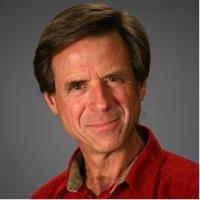
Jeff Sengstack
Adobe Certified Expert and Instructor
Course details
How you choose your shots, craft your story, and edit your footage is what draws attention to your videos. The ultimate goal is to use video to tell a good story. In this course, digital media producer and former TV news reporter Jeff Sengstack uses real-world examples to show you how to create compelling stories using video. He brings you right into the pre-production meetings as he and his clients choose their message and plan the production. Join Jeff as he scouts locations, shoots the video, and conducts interviews that support the chosen theme.
Jeff then presents scripting techniques you can employ to ensure your story engages and entertains your audience. Finally, walk into the production studio where he explains the tools and techniques he uses to edit videos.
Learning objectives
Choosing the message
Planning the production
Selecting and using mics
Lighting the location
Getting visuals and audio to support the message
Working with people to help tell the story
Writing a good story
Tools and tricks for editing video
Jeff then presents scripting techniques you can employ to ensure your story engages and entertains your audience. Finally, walk into the production studio where he explains the tools and techniques he uses to edit videos.
Learning objectives
Choosing the message
Planning the production
Selecting and using mics
Lighting the location
Getting visuals and audio to support the message
Working with people to help tell the story
Writing a good story
Tools and tricks for editing video
Skills covered
Shooting VideoPremiere ProCommunicationVideoAdobeProfessional DevelopmentLeadership and ManagementDeep Dive (X:Y)
Concepts
0. Introduction
- 01 - Welcome
- 02 - Using the exercise files
1. Choosing the Message
- 03 - Meeting the clients and setting expectations
- 04 - Scouting locations
- 05 - Identifying the audience
- 06 - Drilling down to the central message
2. Selecting Strategies to Prove the Message
- 07 - Agreeing on a story outline
- 08 - Planning the production
- 09 - Selecting appropriate video, audio, and lighting gear
3. Getting Visuals and Sound to Support the Message
- 10 - Basic video shooting tips
- 11 - Shooting multishot sequences
- 12 - Getting establishing and closing shots
- 13 - Responding to unexpected developments
4. Using Good Miking and Lighting Techniques
- 14 - Miking and lighting tips
- 15 - Getting great sound bites
- 16 - Lighting tips
5. Organizing Your Assets
- 17 - Previewing and organizing media assets
- 18 - Selecting effective sound bites
- 19 - Cataloging natural sound
- 20 - Creating a rough-cut version of the story for client review
6. Scripting Your Story
- 21 - Writing tips
- 22 - Writing in the active voice
- 23 - Telling your story through people
- 24 - Keeping the client in the loop
7. Putting It All Together in Post-Production
- 25 - Audio editing tips
- 26 - Video editing tips
- 27 - Selecting exporting options
Conclusion
- 28 - Next steps
Bonus Chapter - Edited Sequences
- 29 - Santa Barbara Rock Gym
- 30 - Steve Axtell
- 31 - Sticky Fingers Bakery
- 32 - Santa Barbara Rock Gym quick cut story
Related courses
- Video Journalism: Shooting Techniques
- Creating Fun and Engaging Video Training: The How
- Mastering Video to Advance Your Career
- S/4 Finance: Fiori General Journal Boot Camp
- Growth Hacking Tips
- Learning Notion (2021)
- Video Writing: Using Humor to Communicate and Persuade
- Video and Audio for Designers with Creative Cloud: Part 2
Related learn paths
- Build Your Skills as an Instructional Designer
- Advance Your Content Marketing Skills
- Advance Your Skills as an R Expert
- Building Emotional Intelligence Skills in the Age of AI
- Unlock Your Career Potential: Use LinkedIn to Build Confidence and Career Skills
- Advance Your Video Editing Skills
- Explore Documentary Filmmaking
- Become a Multimedia Specialist