
Recording Sessions in Pro Tools
1h 32mBeginner2022-08-30
Authors
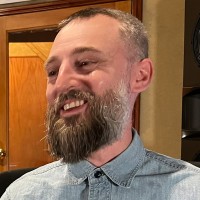
Mikaelin Bluespruce
Sound Engineer and Record Producer
Course details
Think of one of your favorite songs of all time. Ever wondered how it was actually recorded? Did you know that you can set up a smooth and successful recording session of your own? In this course, recording and mix engineer Mikaelin “Blue” Bluespruce walks you through a full setup and preparation so you can get the most out of your first session in Pro Tools.
Learn how to get up and running with one of the most popular and powerful digital recording workstations in the world. Find out what you need to know to create a new project, configure it for your session, and add inputs and tracks as you go. Blue shows you tips and tricks for editing and testing through the audio interface, giving you the chance to pick up new skills and start making your own music today. You will also get to virtually sit in on a recording session where Blue records an artist live in the studio, so you can see all the pieces come together in real time.
Learn how to get up and running with one of the most popular and powerful digital recording workstations in the world. Find out what you need to know to create a new project, configure it for your session, and add inputs and tracks as you go. Blue shows you tips and tricks for editing and testing through the audio interface, giving you the chance to pick up new skills and start making your own music today. You will also get to virtually sit in on a recording session where Blue records an artist live in the studio, so you can see all the pieces come together in real time.
Skills covered
Audio RecordingPro ToolsMusic ProductionAvidDigital Audio WorkstationsAudio and MusicProject
Concepts
0. Introduction
- 01 - Up and running with Pro Tools
- 02 - What you should know
1. Your Pro Tools Session
- 03 - Session setup
- 04 - Importing audio tracks
- 05 - Setting tracks and busses
- 06 - Setting inputs and outputs
- 07 - Enabling record and setting preamp level
- 08 - Recording vocal takes
- 09 - Recording punch-ins
- 10 - Working with tempo
- 11 - Reverb and delay levels
- 12 - Basic EQ and compression guide
- 13 - Editing tools
- 14 - Getting familiar with the I O Setup and Playback Engine windows
- 15 - Editing audio tracks and finishing recording
- 16 - Exporting and bouncing
- 17 - Session etiquette
Conclusion
- 18 - Continuing your Pro Tools learning
Related courses
- Mixing Techniques for Pop Music Part 1
- Audio Foundations: Reverb
- Pro Tools: Mixing and Mastering
- Pro Tools: Audio for Film and Video
- Melodyne Studio Essential Training
- Pro Tools 2021 Essential Training: 101 - The Basics
- Pro Tools 2021 Essential Training: 110 - Advanced Techniques
- Voice-Over for Video and Animation