
Pro Tools: Mixing a Short Film
1h 25mIntermediate2013-01-31
Authors
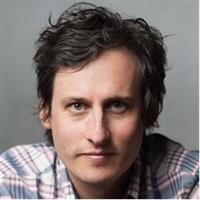
Scott Hirsch
NYU Professor, Sound Designer, Film and Video Editor, Audio Engineer
Course details
In this course, explore a powerful round-trip workflow between Avid Media Composer and Pro Tools to quickly mix dialogue, sound effects, and music for film. Author Scott Hirsch frames the lessons in a way that appeals to filmmakers of all levels, as well as professional and amateur audio mixers. He starts with exporting your tracks from Media Composer and taking advantage of the film and video-specific templates in Pro Tools, which makes project setup a snap. Then discover how to consolidate and edit dialog, fix noise problems and background hum, and add special effects. Finally, explore how to use automation and EQ to enhance and marry your final tracks to the picture.
Learning objectives
Setting up your project
Exporting audio and video
Editing dialogue
Fixing hum and broadband noise issues with processing
Synchronizing sound effects (SFX)
Automating volume
Printing the final mix stems
Learning objectives
Setting up your project
Exporting audio and video
Editing dialogue
Fixing hum and broadband noise issues with processing
Synchronizing sound effects (SFX)
Automating volume
Printing the final mix stems
Skills covered
Media ComposerAudio Post-ProductionPro ToolsAvidAudio and MusicDeep Dive (X:Y)
Concepts
0. Introduction
- 01 - Welcome
- 02 - What you should know before watching this course
- 03 - Using the exercise files
1. Getting Started
- 04 - The Pro Tools workflow
- 05 - Initial setup and views
- 06 - The power of the template
- 07 - Exporting audio and video from Avid Media Composer
- 08 - Importing to Pro Tools
2. Editing Dialogue and Location Sound
- 09 - First steps
- 10 - Dialogue editing - Part one
- 11 - Dialogue editing - Part two
- 12 - Fixing hum problems with processing
- 13 - Fixing broadband noise issues with processing
3. Working with Sound Effects and Music
- 14 - Synchronizing sound effects
- 15 - Working with Foley
- 16 - Creating sound effects from scratch
- 17 - Working with music tracks
- 18 - Building background ambience
4. Mixing to Picture
- 19 - Automating volume
- 20 - Using EQ to enhance your mix
- 21 - Automating plugins
- 22 - Printing final stems
- 23 - Marrying back to picture
Conclusion
- 24 - Next steps
Related courses
- Creating a Short Film: 12 Audio
- Pro Tools: Audio for Film and Video
- Final Cut Pro X & Logic Pro X: 2 Mixing Dialog, Music, and Effects
- Mixing an EDM Track
- Audio for Video: Production and Post Sound Techniques
- Mixing a Hip-Hop and R&B Song in Pro Tools
- Pro Tools: Mixing and Mastering
- Mixing and Mastering with Pro Tools