
Performing with Ableton Live: On Stage with St. Vincent
2h 4mAdvanced2014-08-29
Authors
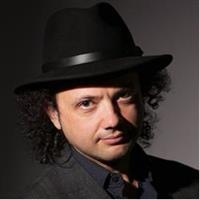
Daniel Mintseris
Musical Director
Course details
Daniel Mintseris has been touring with critically acclaimed musician St. Vincent for over three years. With Ableton Live, he's able to direct the entire show from his keyboard and laptop. In these exclusive videos, he explains what it takes to run your own world-class production with Ableton.
First, Daniel provides a tour of his setup, starting from his keyboard riser—the hub of communication on stage. With Ableton and a series of MIDI controllers, he's closely connected to all the other instrumentalists. Then he demonstrates the process of building a show file and creating sound presets for every song. Daniel also explains how to use the Drum Kit as a MIDI controller for drum sounds, and how to make program changes on the downstage Moog and guitar stations. Finally, in our interview with Daniel, he closes down the course with insights on what it's like to be a musical director, and how he balances technology and musicianship to bring ideas to life.
Learning objectives
Setting up the keyboard and Ableton Live
Creating and using click tracks
Creating song presets
Switching sounds within songs
Automating presets
Working with Ableton drum racks
Sending program changes
Preparing audio stems for playback
Audio routing
Keeping things in check with line-check files and backups
Insights on music and technology
First, Daniel provides a tour of his setup, starting from his keyboard riser—the hub of communication on stage. With Ableton and a series of MIDI controllers, he's closely connected to all the other instrumentalists. Then he demonstrates the process of building a show file and creating sound presets for every song. Daniel also explains how to use the Drum Kit as a MIDI controller for drum sounds, and how to make program changes on the downstage Moog and guitar stations. Finally, in our interview with Daniel, he closes down the course with insights on what it's like to be a musical director, and how he balances technology and musicianship to bring ideas to life.
Learning objectives
Setting up the keyboard and Ableton Live
Creating and using click tracks
Creating song presets
Switching sounds within songs
Automating presets
Working with Ableton drum racks
Sending program changes
Preparing audio stems for playback
Audio routing
Keeping things in check with line-check files and backups
Insights on music and technology
Skills covered
Ableton LiveAbletonMusic ProductionDigital Audio WorkstationsAudio and MusicOne-Off
Concepts
0. Introduction
- 01 - Welcome
- 02 - What you should know before watching this course
- 03 - Using the exercise files
1. Keyboard and Ableton Live Setup
- 04 - Keyboard and MIDI station
- 05 - Software overview
- 06 - Ableton Live set layout
2. The Basics - Click Track and Count-Off
- 07 - Preparing to use a click
- 08 - Creating click tracks
- 09 - Count-off and starting pitch
- 10 - In-ear monitors
3. Keyboard Presets
- 11 - Creating a song preset in an Instrument Rack
- 12 - Switching sounds within the song preset
- 13 - Using clip automation to switch sounds
- 14 - Adding songs in nested Racks
- 15 - Using a macro to conserve CPU and select song presets
- 16 - Automating presets at song start
4. The Drumset as a MIDI Controller
- 17 - Drums and electronics
- 18 - Ableton drum presets
5. Remote Control from Ableton Live
- 19 - Guitar stations and Moog bass
- 20 - Changing external instrument presets
- 21 - Program change automation with Max for Live
6. Playback
- 22 - When playback is necessary - Preparing audio stems
- 23 - Importing playback audio
7. Working with the Ableton Show File
- 24 - Audio routing
- 25 - Set navigation
8. Keeping Things in Check
- 26 - Line-check file
- 27 - Backup system
9. Technology and Technique
- 28 - From humble beginnings to St. Vincent's technical brain
- 29 - Bringing ideas to life with Ableton Live
- 30 - Technology as an extension of musicianship
Conclusion
- 31 - Next steps
Related courses
- Producing Spatial Audio in Dolby Atmos, Binaural, and Surround
- Singing Lessons: 4 Singing Tools
- Logic Pro X Essential Training
- NumPy Essential Training: 1 Foundations of NumPy
- Using Power BI with Excel
- Cisco CCT Routing and Switching (100-490) Cert Prep: 3 Cisco IOS
- Premiere Pro Quick Tips
- Cert Prep: Excel Associate - Microsoft Office Specialist for Office 2019